In care environments, the “high-risk room” changes constantly.
A resident’s mobility can shift overnight. A post-op patient might need extra monitoring for a few days. A new admission arrives with a higher fall risk than the current unit mix. And suddenly the rooms that needed the most support last week aren’t the ones that need it today.
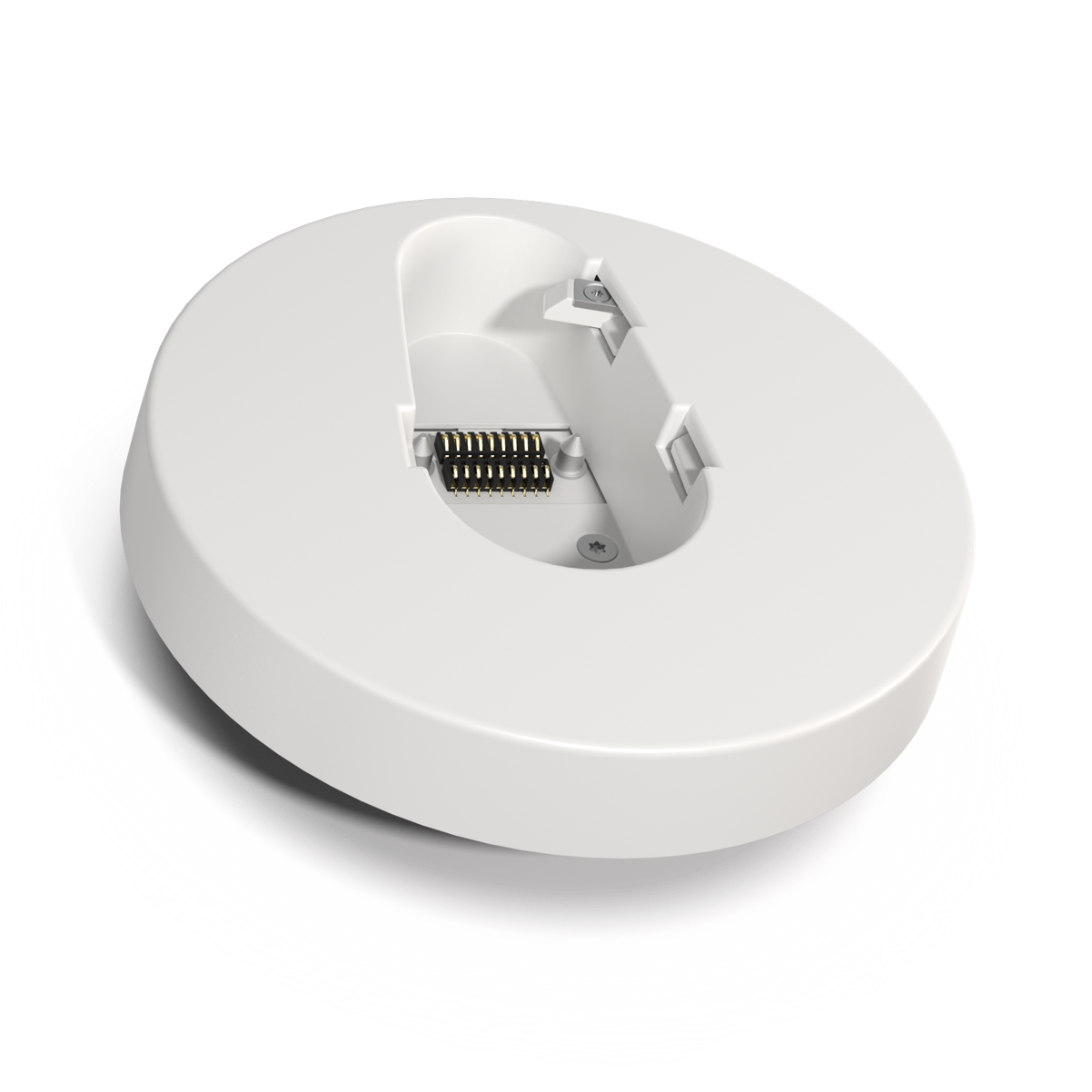
That’s exactly why cogvis designed a docking station concept: so monitoring support can be reassigned easily, without turning every room change into a mini installation project.
When we say “docking station,” we’re not talking about a laptop dock.
In the cogvis context, it means:
cogvis has described this as a patented docking station/docking mechanism designed to make repositioning the sensor straightforward—so you can deploy it where it’s needed most, when it’s needed most.
Most care teams don’t have time for complicated tech steps. A mobility system only helps if it fits into real workflows.
The docking station approach supports that in a few practical ways:
The system is positioned for fast deployment and day-one usability—meaning it’s meant to fit into routine operations without weeks of disruption.
Once the docking point is installed, you’re not starting from scratch each time you want to change coverage. You’re simply relocating the sensor to match changing risk.
When a sensor is installed and aligned in a room, it performs automatic sensor calibration (adjusting to the room structure). If anything looks off, the platform supports restarting calibration after realigning.
This matters because it reduces the “tech burden” when you move a device—no one wants to babysit setup every time a room assignment changes.
Here’s a common scenario:
You start by installing sensors in a portion of rooms—typically the residents/patients with the highest fall risk. But then:
With a docking station concept, teams can shift a sensor to the room that needs it most—without having to permanently dedicate a sensor to a room that no longer needs that level of support.
This “controlled flexibility” is a huge deal operationally because fall risk fluctuates, and your resources are always finite.
This is the biggest win: the sensor goes where the need is highest.
Instead of treating monitoring as a fixed asset that lives in one room forever, the docking station system supports a more modern approach—deploy support dynamically based on:
Many facilities don’t want (or need) to equip every room on day one. Mobility makes it more practical to:
If a sensor needs troubleshooting, being able to undock and replace it quickly can reduce the time a room is without coverage. Operationally, that’s often the difference between “we can live with this” and “this is too disruptive.”
The docking model makes it easier to test workflows across:
without committing to full permanent placement everywhere immediately.
If a system is painful to set up or adjust, staff will avoid it—even if it’s clinically valuable.
Mobility + quick repositioning makes the tech feel like a tool that supports staff (not another thing to manage).
The docking station concept is a simple idea with a big impact:
install the docking points, then move sensors as risk changes.
That means you can keep support focused where it makes the most difference—while keeping deployment practical for busy teams.